Apple Wallet loyalty cards: add one, or create one for your business (2026 guide)
Published · Updated
Apple Wallet loyalty cards in two parts: how customers add one in three taps, and how a business creates its own, step by step, with costs and examples.
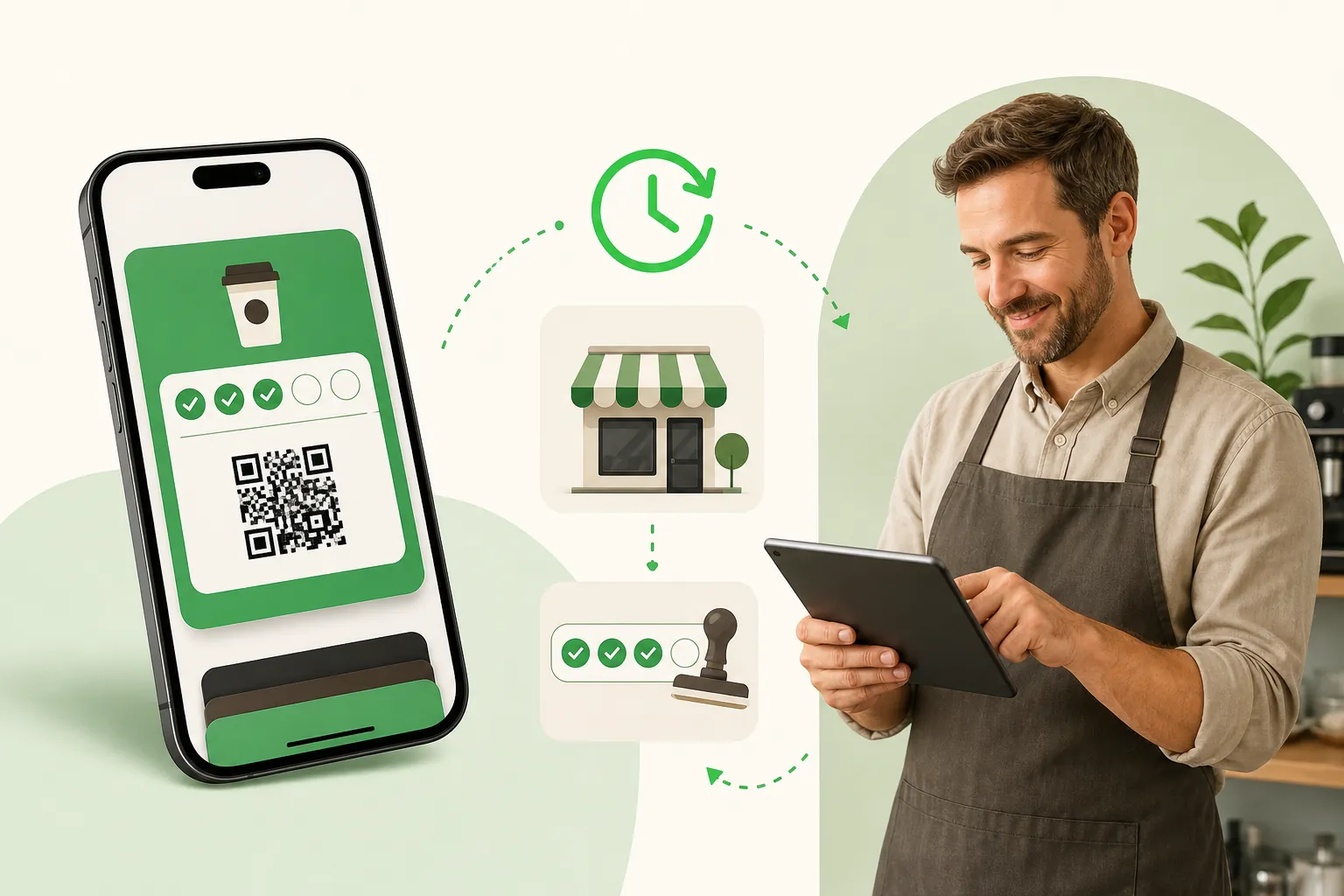
An Apple Wallet loyalty card is a digital punch card that lives in the Wallet app already installed on every iPhone. Your customer adds it by scanning a QR code, you stamp it by scanning it at the counter, and it updates itself in their phone, with a notification on the lock screen when something changes. No app to download, no plastic, nothing to forget at home.
This guide has two clearly separate parts, because two different people search for it:
- Part 1, for customers: you have an iPhone and want to add a shop’s loyalty card to Apple Wallet. It takes three taps, and it is the short part.
- Part 2, for business owners: you run a café, a bakery, a salon, a barbershop or a restaurant and want your own loyalty card in your customers' Wallet. Setup, stamping, messages, cost and examples by business. Count about fifteen minutes to follow the steps.
Both parts start from the same thing: what an Apple Wallet loyalty card actually is.
What an Apple Wallet loyalty card actually is
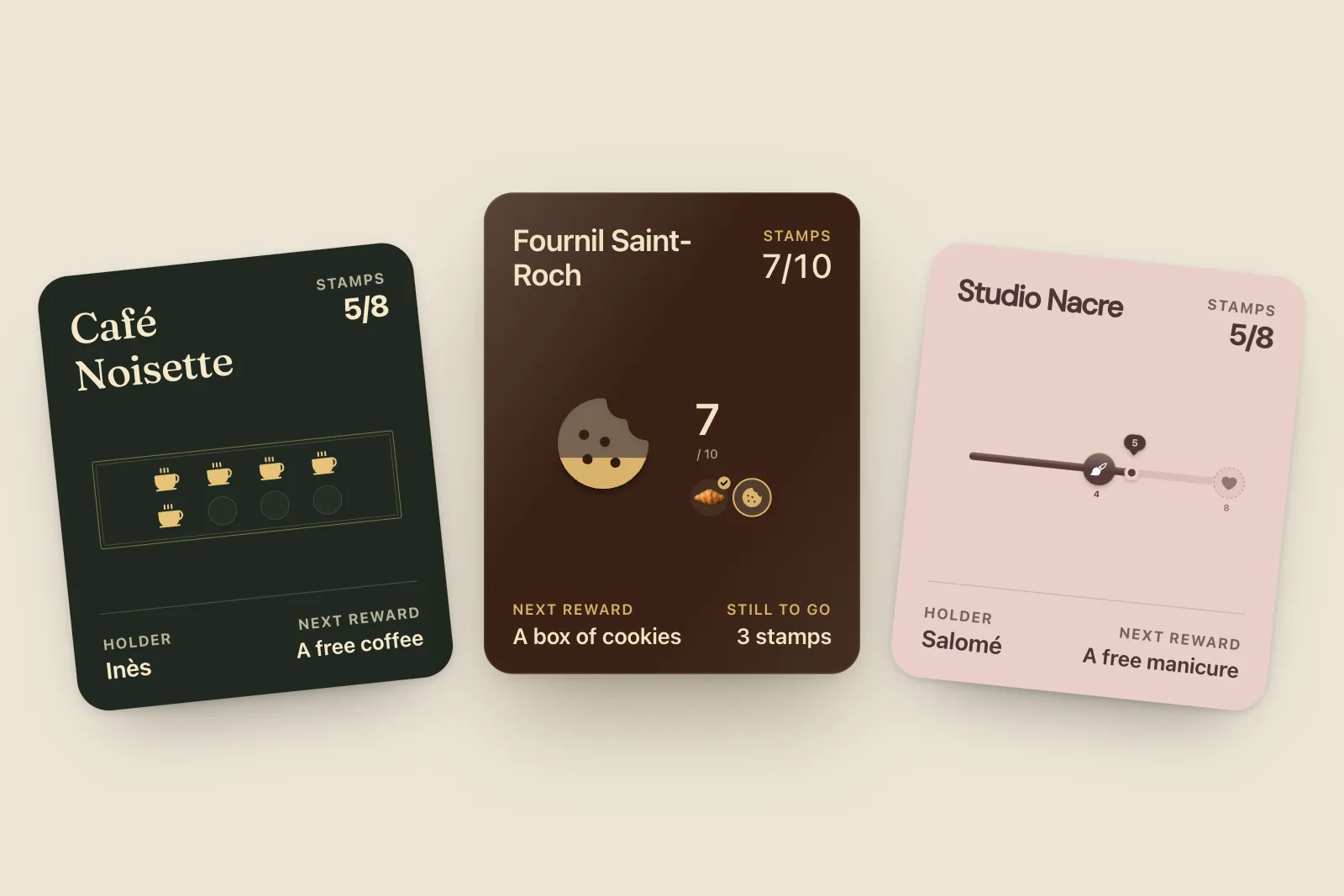
Apple Wallet stores "passes": boarding passes, event tickets, coupons, and loyalty cards. Apple defines five classic pass styles, and one of them is built for exactly this job. In Apple’s developer documentation: "Use the store card pass type for business loyalty cards, gift cards, or point cards. It can display a balance or point accumulation."
In practice, a store card for a café shows:
- your logo and name at the top;
- a strip image, which is where the stamps are usually drawn;
- a balance ("7 of 10 stamps") and the next reward;
- a QR code that you scan at the counter;
- a back side with your address, hours, phone number and website.
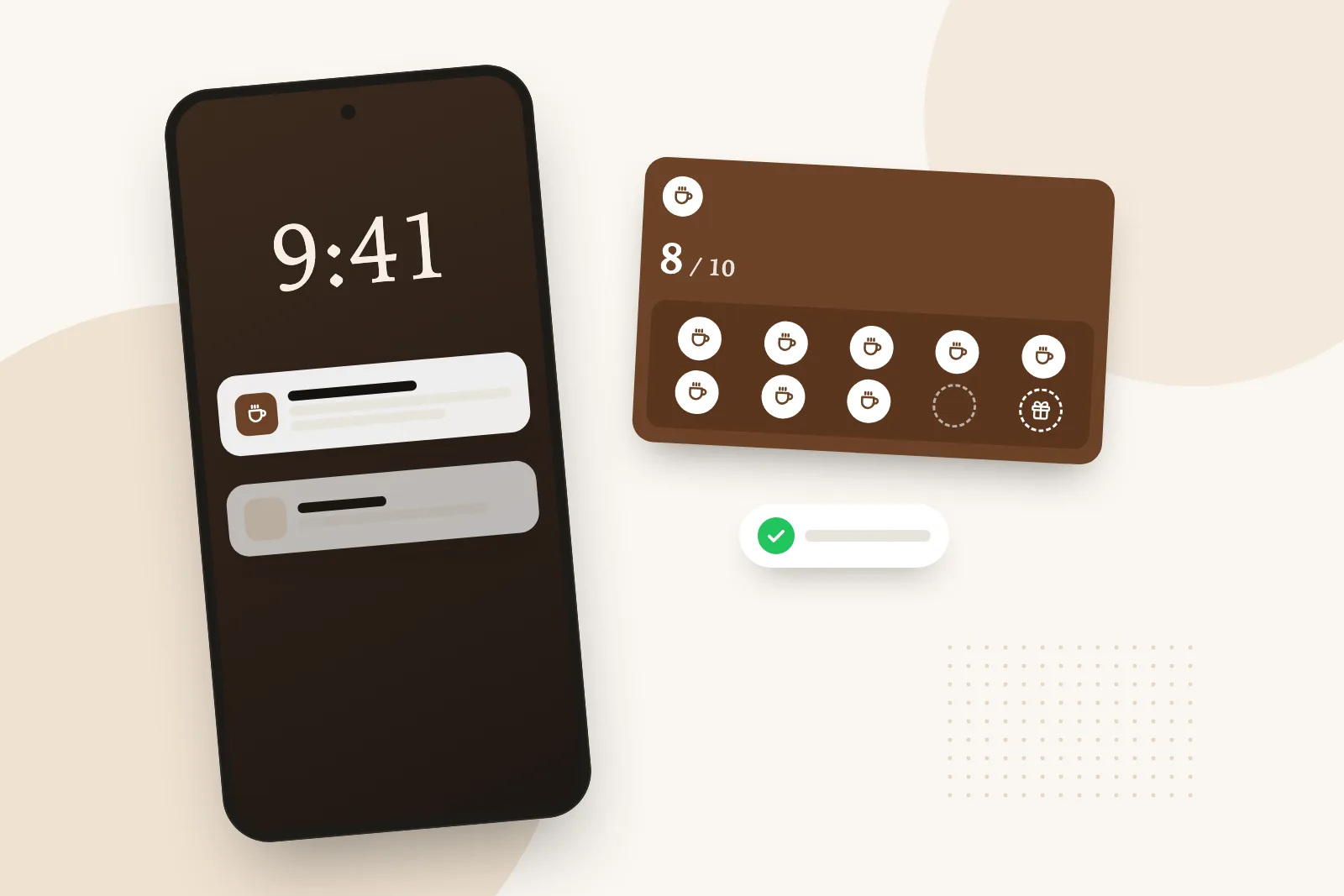
Two things make it different from a picture of a card. First, it is signed by the business that issued it, so it can’t be faked or copied into someone else’s phone. Second, it is connected: when you add a stamp, your server tells Apple, Apple wakes up the customer’s iPhone, and the phone downloads the new version of the card. Apple describes that chain in its pass update documentation: "Updating a pass is a cooperative effort between the user’s device, Apple servers, and your server."
Loyalty card, membership card, or something else?
People search for "Apple Wallet membership cards" and "Apple Wallet loyalty cards" as if they were two products. For Apple they are the same family of pass. A gym membership is usually a store card or a generic pass with a member number; a café loyalty card is a store card with a stamp balance. Since iOS 27, Apple has also added a new "Poster Generic" style that its WWDC session describes as "a great fit for membership cards, loyalty programs, store cards". It only displays on iOS 27 or later, so for now a well-built store card is still the format that works on every customer’s iPhone.
Part 1. For customers: add a loyalty card to Apple Wallet
If a shop offers its card for Apple Wallet, adding it takes three taps:
- Scan the QR code at the counter with your iPhone camera, or tap the link the shop shared on Instagram, in an email or on a receipt.
- Tap "Add to Apple Wallet". Apple’s support page for adding passes describes the same gesture for any issuer: follow the instructions, then tap "Add" in the upper right corner if asked.
- The card is in Wallet. It also syncs to your Apple Watch and your other Apple devices through iCloud.
At the counter, double-click the side button (or open Wallet), swipe to the card and show its QR code. The card then shows your balance ("7 of 10 stamps"), updates when the shop stamps it, and can tell you on the lock screen when your reward is ready.
What you don’t do: download an app, create an account, choose a password or type an email address. If you see no option to add the card, ask the shop: only the business that issues a card can put it in your Wallet.
"Can I add any loyalty card to Apple Wallet?"
Here’s the honest answer for 2026. Since iOS 27, Apple lets people create their own passes from a photo or screenshot of a barcode or QR code (this route needs Apple Intelligence, so an iPhone 15 Pro, iPhone 16 or later), or manually from a template in the Wallet app (tap the add button, then "Create a Pass"). Apple pitches it for "membership and loyalty cards that have a barcode or QR code but no digital pass, like a library card or gym membership."
That’s handy for a library card. It doesn’t help a stamp card much: a pass you make yourself is a copy of a barcode. It doesn’t know your balance, never updates when you stamp, and can’t send a notification. Only a pass issued and signed by the business does that. On older iPhones, third-party apps fill the same role with the same limit.
Part 2. For business owners: create an Apple Wallet loyalty card
If you run a shop, this part is for you. The short version: you need a service that signs real Apple Wallet passes, a reward, a QR code where people pay, and your own phone to stamp. No Apple Developer account, no Mac, no developer, and no app for your customers. The sections below follow the order you will meet things: creating the card, examples by business, stamping at the counter, the messages, the cost, and how it compares with paper and apps. The product itself, for business owners, is described on our Wallet card for businesses page, and the complete guide to digital loyalty cards covers the whole subject, from choosing a tool to pricing.
How to create a loyalty card for Apple Wallet, step by step
This is the part people search for most: "create loyalty card for Apple Wallet". Here is the whole route, from nothing to the first stamp, in the order you’ll actually do it. Count about fifteen minutes, most of it spent choosing a reward.
What you need before you start
- A phone. The one in your pocket. It will be your scanner at the counter.
- Your logo, or just your shop’s name if you don’t have one yet.
- A reward idea: a free coffee, a pastry, 10% off the next haircut.
- That’s all. No Apple Developer account, no Mac, no developer, no card reader. With a loyalty platform, the platform holds the Apple certificate and signs the passes for you.
Step 1. Pick a tool that issues real, updating passes
Ask one question: "When I add a stamp, does the card in the customer’s Wallet update and notify them?" If the answer is vague, or the "card" opens in Safari, you’re being sold a web page dressed up as a pass. A good tool also offers a web version of the same card as a backup, for the rare phone with no wallet, and issues the Google Wallet version from the same QR code. Comparing tools? Our ranking of Apple Wallet and Google Wallet loyalty apps checks each one’s price on the vendor’s own site, and if you already know Loopy Loyalty, here’s how StampyWallet compares as a Loopy Loyalty alternative.
Step 2. Set the rule and the reward
Ten stamps for a free coffee is the classic for a reason. Keep the reward concrete and the goal short enough to reach within a month or so for a regular. Our rewards that work and the coffee shop reward math help you pick.
One research-backed trick: start customers with a head start. In a study of a real café's "buy ten, get one free" card, customers given a 12-stamp card with 2 bonus stamps already filled finished it about 20% faster than those with a plain 10-stamp card (Kivetz, Urminsky and Zheng, Journal of Marketing Research, 2006). StampyWallet lets you give up to five stamps at sign-up.
Stamps or points? Stamps (one per visit) are easiest to explain at a busy counter. Points suit shops where baskets vary a lot, like a florist or a grocer, and you pick the value when you scan.
Step 3. Design the card like your shop
Logo, colors, the stamp icon, a photo strip, and the back of the card: address, opening hours, phone, website. With StampyWallet it’s one screen with a live preview, or you can describe your shop to an AI assistant and let it draft the card for you.
Two design tips that matter on a real iPhone. Keep the strip image simple, because the stamps are drawn over it. And check the contrast of your text color against the background: a pale logo on a pale card disappears on the lock screen.
Step 4. Add it to your own iPhone first
Before printing anything, scan your own QR code, tap "Add to Apple Wallet", then stamp your own card from the scanner. You should see the count change and a notification appear on your lock screen within seconds. If you also have an Android phone around, try Google Wallet with the same code. Five minutes of testing saves you an awkward Saturday morning.
Step 5. Put the QR code where people pay
Print the sign (A5 or A6, generated with your shop’s name) and put it next to the card reader. No printer yet? Display mode puts the QR code full screen on a phone propped against the register. Add the same link to your Instagram bio and Google profile. Then say one sentence at the counter: "Scan this and your loyalty card goes straight into your Wallet." The sign-up form is up to you: by default StampyWallet asks for an optional first name, and you can switch on email, phone or birthday when you actually need them.
Step 6. Stamp, then turn on the messages
Stamp from your phone from day one. Once you have a few dozen cards out, turn on the automatic reminders and plan one or two messages a month for your quiet days. Our guide to bringing customers back in quiet periods has ideas that don’t involve discounts.
The do-it-yourself route, for comparison
If you have a developer and want to build it yourself, the outline is: join the Apple Developer Program ($99 a year), create a Pass Type ID and its certificate, design the pass (by hand in JSON or with Pass Designer), sign it on a server, host the web service that Apple calls to fetch updates, send push notifications when a stamp lands, and build a scanner for the counter. Then do it all again for Google Wallet. It’s very doable for a tech team. For one shop, it’s weeks of work to save a monthly subscription.
Apple Wallet loyalty card examples by business
The card design matters less than the rule. These are starting points we see work at independent shops; adjust them to your prices and how often your regulars come in.
| Business | Rule | Reward | Worth adding |
|---|---|---|---|
| Coffee shop | 1 stamp per visit, 10 stamps | A free drink of their choice | 2 stamps offered at sign-up, a nudge on quiet afternoons |
| Bakery | 1 stamp per visit, 8 to 10 stamps | A pastry or a loaf | A reminder when a regular skips their usual rhythm |
| Hair salon or barbershop | 1 stamp per appointment, 6 to 8 stamps | A free cut or a care product | A birthday gift, valid 30 days |
| Nail or beauty studio | 1 stamp per service, 6 to 10 stamps | A free add-on, then a free service | Two cards: one for nails, one for treatments |
| Restaurant | Points per amount spent | A dessert, then a free main | A review request after the reward |
| Florist or grocer | Points per amount spent | A credit off the next basket | A message for seasonal arrivals |
For more ideas, see rewards that work and loyalty card design ideas.
How stamping works at the counter
The customer opens Wallet (or double-clicks the side button, or their card surfaces on its own), and shows you the QR code. You scan it with your phone. That’s the whole routine.
With StampyWallet the scanner is a web page on your own phone. It opens straight on the camera, and before anything is saved it shows you who is in front of you and the change: "Camille, 6 → 7 of 10". You confirm, the stamp lands, and the camera is ready for the next customer. A few details that matter on a busy Saturday:
- No double stamps. A safeguard rejects a second scan of the same card right after the first, with a delay you choose.
- An undo button, for the day you scan the wrong card.
- It works offline. If the network drops, stamps are saved on your phone and sent when it comes back, without duplicates.
- Your staff can stamp too, each with their own account, at no extra cost.
If you’d rather count spend than visits, a points mode lets you pick a value at the moment you scan, and StampyWallet’s till connectors for Square, Shopify, SumUp and Zettle can count for you, set up with you on request.
Lock-screen notifications: what’s possible and what isn’t
This is the real reason to go digital. A paper card sits in a drawer; a wallet pass can tap the customer on the shoulder.
On iPhone, a notification appears when a field on the pass changes and the business has set a "change message" for that field. Apple’s reference is explicit: "You need to provide a value for the system to show a change notification." That’s why the tool you pick matters: a card can be a perfectly valid pass and still never notify anyone.
What a good setup sends, and what StampyWallet sends:
- A stamp lands: the balance updates and the lock screen shows the new count.
- One stamp to go: an automatic reminder, once per card.
- The reward is ready: so they know there’s something to collect before they walk in.
- A regular skips their usual rhythm: one nudge per absence, counted in opening days, so your August closure doesn’t turn everyone into a "lost" customer.
- Their birthday: only if you’ve written down a gift. No gift, no message.
- Your own message, to everyone or to a group: a new seasonal drink, a quiet Tuesday.
And what it shouldn’t do: wake people at night or spam them. StampyWallet holds anything due between 9pm and 9am until opening (you set the hours) and limits you to one message a day. Apple’s design guidelines push the same way: change messages are for "time-critical information", not ads. A customer who feels spammed deletes the card, and you lose the channel.
Customers stay in control: they can switch off notifications or automatic updates for a pass in its settings, or delete it. Treat every message as something they chose to receive.
How much an Apple Wallet loyalty card costs
There are three ways to get one, and the costs are very different.
| Route | What you pay | What you have to do | Good for |
|---|---|---|---|
| Build it yourself | Apple Developer Program fee, plus developer time and a server | Sign passes, host a web service, send push updates, design the scanner | Chains with a tech team |
| A pass "creator" for one-off designs | Often free or cheap | Design a static card; no stamps, no updates | Event tickets, membership numbers |
| A loyalty platform | A monthly subscription | Pick a design and a reward, print the QR code | Independent shops |
Apple did make the design side easier in 2026: Pass Designer, a free Mac app (macOS 27), lets you lay out a pass without code. It doesn’t run your loyalty program, though. You still need the certificate, a server to sign and update passes, and a scanner at the counter.
StampyWallet’s pricing for comparison: Essential at $29 a month before tax (£19 in the UK, €20 in Europe) with unlimited customers and visits, Apple and Google Wallet and notifications to all customers; Growth at $49 (£35, €40) with automatic reminders, birthdays, Google review requests, customer groups; and Network for several locations. No setup fee, no hardware, and a 30-day free trial with every Growth feature. If you stop, your customers' cards keep working and you can keep stamping.
Why the Wallet beats an app and a paper card
You have three ways to run a loyalty program at a counter: paper, a branded app, or a wallet pass. Here is how they compare in practice.
| Paper punch card | Your own app | Apple Wallet pass | |
|---|---|---|---|
| What the customer installs | Nothing | An app, plus an account | Nothing: Wallet is built in |
| Sign-up time at the counter | 5 seconds | Several minutes | About 10 seconds |
| Can be lost or forgotten | Yes | Rarely | Rarely: it’s in the phone |
| Can reach the customer between visits | No | Push, if notifications are on | Lock-screen notification on update |
| Tells you who your regulars are | No | Yes | Yes |
| Fraud (extra stamps, copied cards) | Easy | Hard | Hard: signed pass, scanned by you |
| Typical cost for a small shop | Printing | Thousands to build and maintain | A monthly subscription |
The app column is the one most small shops try once and regret. Apple’s own developer page makes the key point for us: "Users can add a pass without installing the related app, or add a pass that doesn’t have a related app at all." Nobody waiting for a croissant wants to download an app and create a password.
Paper still has one big advantage: it costs nothing and everybody understands it. The digital version keeps the same mechanic (buy nine, the tenth is free) and removes what goes wrong: lost cards, forgotten cards, stamps added by a friendly cousin, and the total silence between visits.
Apple Wallet loyalty card or Apple Pay loyalty program?
People often search for an "Apple Pay loyalty program" and mean the same thing: a card that lives next to their payment cards. The distinction matters, though. The loyalty card sits in Apple Wallet, and Apple Pay is the payment that happens from the same app. Having the card identified automatically during the Apple Pay tap needs an NFC pass approved by Apple and compatible terminals, which is out of reach for most independent shops. A QR-code store card does the same job with one extra second: the customer pays, then shows the card. Our Apple Pay loyalty program guide goes into the details.
What results to expect
Be wary of anyone promising a precise uplift. The honest data points we know of:
- In the Columbia study of a café coffee card, members bought coffee more often as they got closer to the free one: purchase intervals shrank by 20%, or 0.7 days, over the program, and members bought about two more coffees a month than they would have without it.
- Square reports that, in its 2022 data, customers enrolled in Square Loyalty at food and drink businesses spend 46% more and visit 57% more often (squareup.com/us/en/software/loyalty, checked October 2026). That compares members with non-members, so part of it is simply that regulars join loyalty programs.
- Toast data (Q1 2026) shows that moving a restaurant guest into a loyalty program lifts their return rate from a 7% baseline to nearly 30%.
What a wallet card adds on top of any program is the channel: a way to reach the people who stopped coming, which paper never had.
Frequently asked questions
How do I create a loyalty card for Apple Wallet?
Sign up to a loyalty platform that issues real Apple Wallet passes, choose your rule and reward, design the card with your logo and colors, add it to your own iPhone to test it, then print the QR code for your counter. With StampyWallet it takes about fifteen minutes and needs no code, no Apple Developer account and no hardware.
Can I create an Apple Wallet loyalty card for free?
You can design a pass for free with Apple’s Pass Designer, and since iOS 27 anyone can make a static pass from a barcode. Neither runs a loyalty program: no stamps, no updates, no notifications. Building your own costs the $99 Apple Developer Program fee plus development and a server. StampyWallet is free for 30 days, then from $29 a month before tax.
Do I need an Apple Developer account or a Mac?
Not with a loyalty platform: it holds the Apple certificate and signs every pass for you. You only need an Apple Developer account, and in practice a developer, if you build and sign passes yourself.
Do my customers need to download an app?
No. Apple Wallet is built into every iPhone. They scan your QR code with the camera, tap "Add", and the card is in Wallet. No app, no account, no password.
How do customers add a loyalty card to Apple Wallet?
From the business’s QR code, link, email or message: tap "Add to Apple Wallet", then "Add". Since iOS 27 they can also create a static pass from a barcode photo or by hand in Wallet, but that copy won’t show stamps or update when the shop scans it.
Is there an Apple Wallet loyalty card creator for small businesses?
Yes, two kinds. Design tools (including Apple’s free Pass Designer for Mac) create the look of a pass but don’t run a program. Loyalty platforms like StampyWallet create, sign and update the pass for you, and give you a scanner for the counter. For a stamp card, you need the second kind.
Can an Apple Wallet loyalty card send notifications?
Yes. When the pass changes and the issuer has set a change message, the iPhone shows a notification on the lock screen. StampyWallet uses this for new stamps, "one stamp to go", reward ready, lapsed customers, birthdays and your own messages, never at night.
Does it work with Apple Pay?
Not directly at a small shop. Linking a loyalty card to the Apple Pay tap needs an NFC pass approved by Apple and VAS-certified terminals. A QR-code store card is scanned separately, which takes two seconds. Our Apple Pay loyalty program guide explains the difference.
What happens if a customer gets a new iPhone?
Passes sync through iCloud. When they sign in to their new iPhone with the same Apple Account, the card comes back with its stamps.
What about customers with Android phones?
The same QR code adds the card to Google Wallet on Android. Customers with no wallet at all get the same card in their browser, or by email with a PDF.
How much does it cost?
With StampyWallet, from $29 a month before tax (£19 in the UK, €20 in Europe), with unlimited customers and both wallets included, after a 30-day free trial. No setup fee and no hardware. See pricing.