Digital gift cards for small businesses: sell them at the counter, redeem them from the Wallet
How a café, bakery, salon or barbershop can sell digital gift cards without new hardware. A free item or a stored amount, balance deducted visit by visit, Apple Wallet, Google Wallet or print, with a full ledger.
For a neighborhood business, a gift card is a recommendation with money attached. One of your regulars pays today, and someone who has never been to your shop walks in next week to spend it. The paper version gets lost in a drawer. The digital version lives in the phone, next to boarding passes and bank cards, and it tells you exactly what’s left on it.
Why gift cards matter for a small shop
A loyalty card rewards the people who already come in. A gift card does something different: it brings in someone you don’t know yet, sent by someone who knows you well.
For an independent business, that means three things:
You’re paid before you serve. The sale happens on the day of purchase; the coffee, the haircut or the cake comes later.
It brings a new customer through the door. The person who receives the gift discovers your shop, your counter, your way of doing things.
It lands exactly when people need an idea. Birthdays, Mother’s Day, the holidays, a colleague leaving: "a brunch for two" or "a manicure" is decided in two minutes, and it means more because it comes from a specific place.
What held small shops back was the tooling: a book of paper vouchers nobody fills in properly, a printed voucher that can be photocopied, a balance scribbled on the back in pen, or a gift card module that only works with a point-of-sale system you don’t have.
Free item or stored value: two cards, two jobs
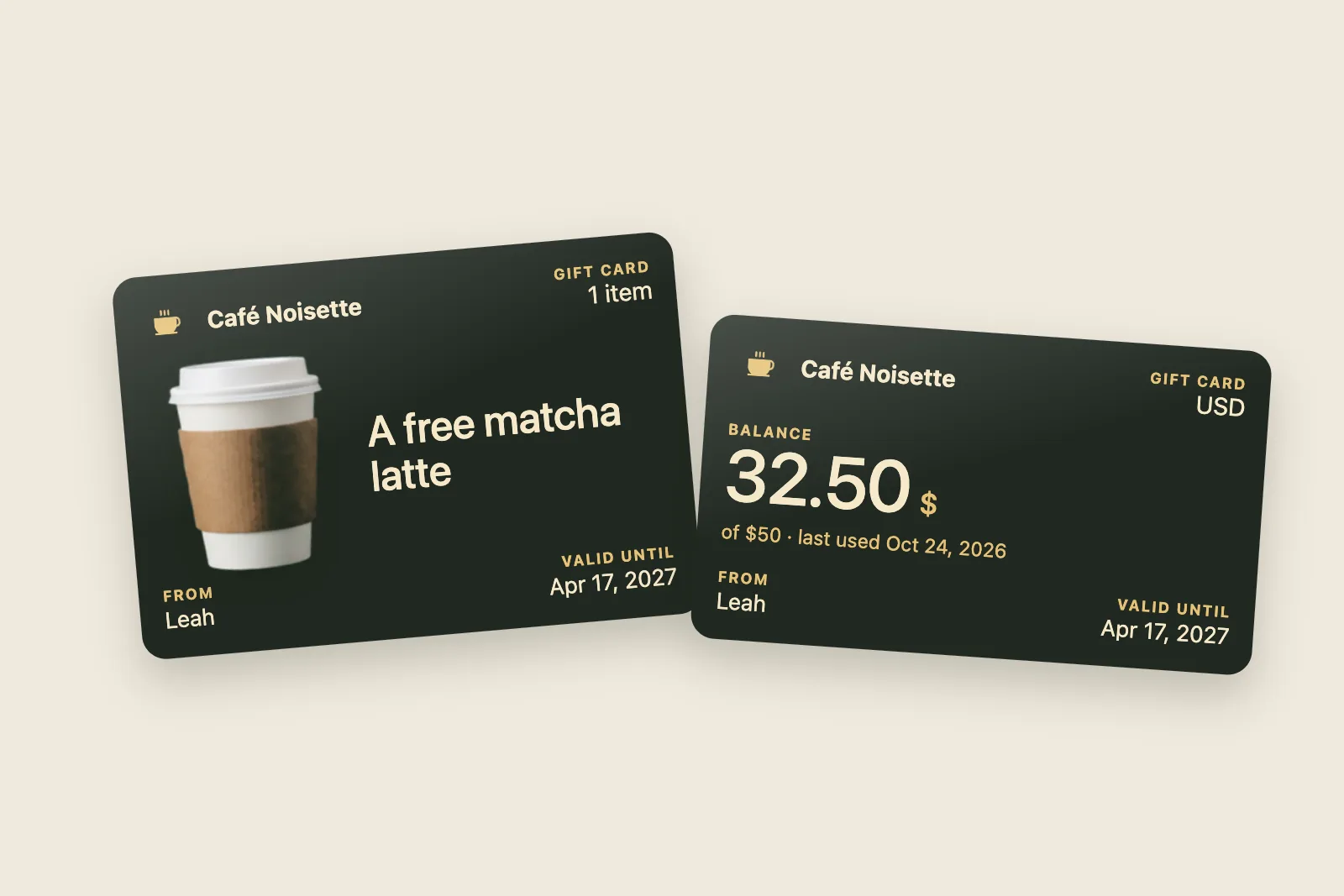
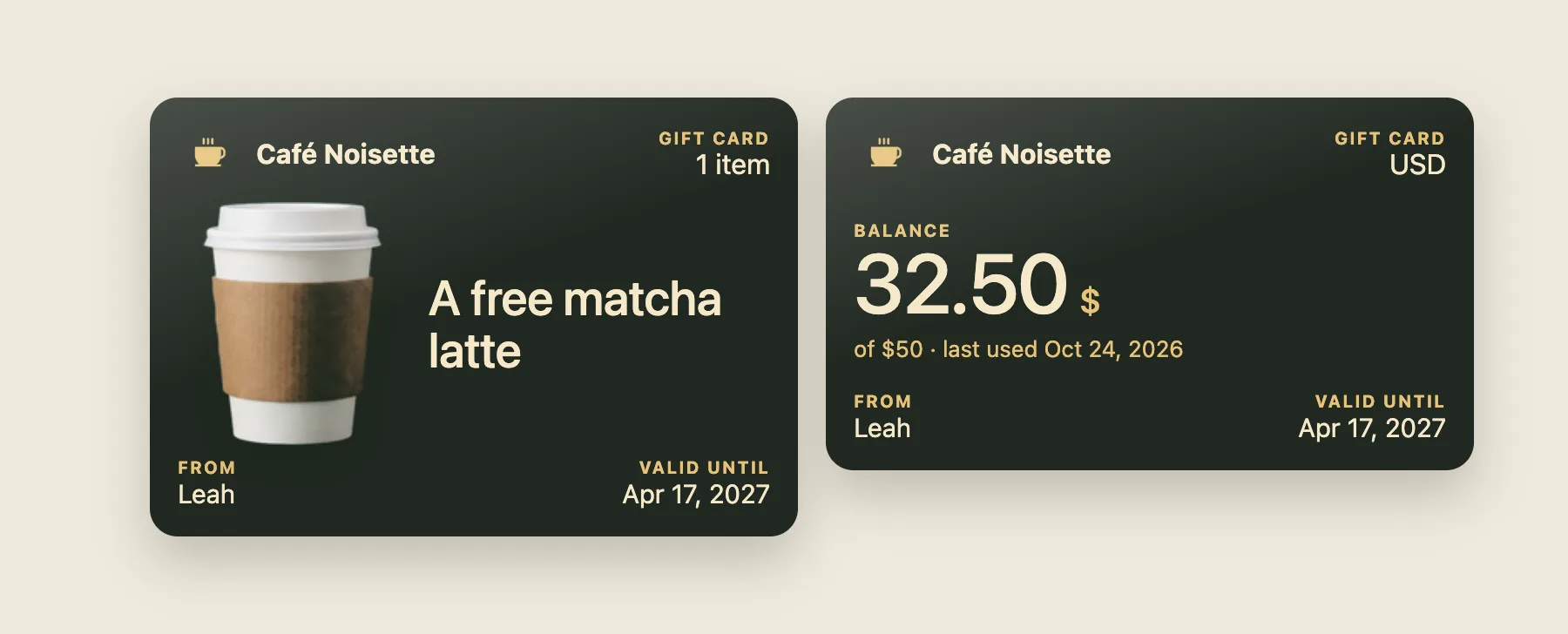
The free item: "a matcha latte, from Leah"
This is the easiest gift card to give and to understand. You set up a short list of items (up to twenty-four), each with a name, a price and, if you have one, a photo. The photo’s background is removed for you, so the item sits cleanly on the card.
At the moment of sale, the item is frozen onto the card: name, photo and price are copied over. If you change your menu next month, the person who received "a matcha latte" still gets their matcha latte.
At the counter, the card is used once. You scan it, tap "Give", and it’s marked as used.
Ideas that work well:
coffee shop: a brunch for two, a matcha latte, a bag of beans;
bakery: a birthday cake, a box of cookies, a weekend loaf;
nail salon or beauty studio: a polish change, a manicure, a facial;
barbershop: a haircut, a beard trim, cut and beard together.
The stored amount: "$50, spent over several visits"
This is the classic store credit for people who can’t decide. You choose the amounts on offer (up to eight, say $20, $30 and $50) and whether staff can also type a custom amount.
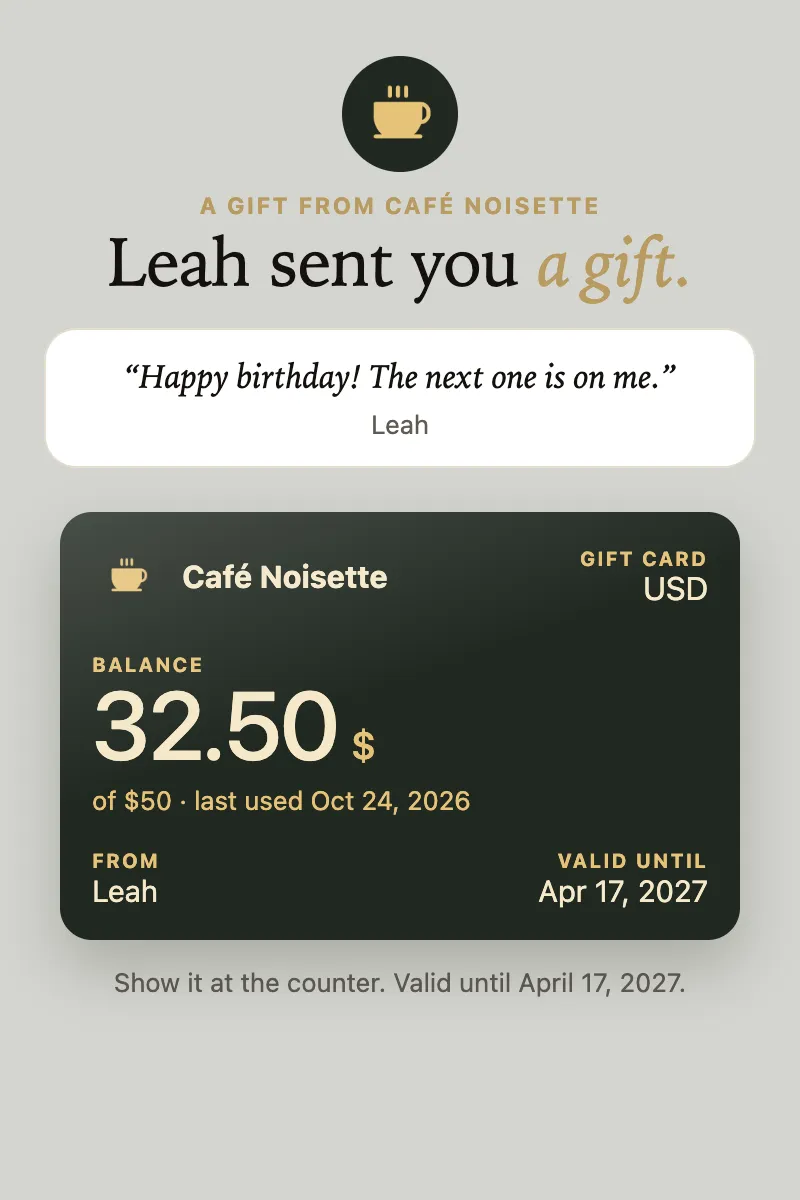
An amount card is deducted visit by visit. The customer orders $17.50, you scan the card, type 17.50, the screen shows the balance after the deduction, you confirm. The card in their phone updates itself, with a notification: "Balance updated: $32.50 left." They’ll be back for the rest.
Two safeguards are always on:
never more than the balance. If the order is bigger than what’s left, the deduction is refused; you deduct the remaining balance and take the difference at your till;
never twice. A slow connection or a double tap can’t deduct the same operation twice: every movement carries a unique ID.
3, 6 or 12 monthsvalidityyour choice, counted from the sale
24items to giveeach with its name, price and photo
8preset amountsplus a custom amount if you allow it
How it works at the counter
Selling a gift card
A customer asks for a gift card. You open "Gift cards" in the app on your phone.
You pick an item or an amount. You can add who it’s for, who it’s from, and a short message ("Happy birthday! The next one is on me.").
You take payment at your till, as usual. The app doesn’t process the payment: no commission on the sale, no new card terminal.
You tap "Create the gift card". Done.
The preview next to the form shows exactly what the recipient will get, before you confirm.
Handing it over
Once it’s created, there are four ways to deliver it, depending on whether the recipient is there:
a QR code on your screen that they scan to open the card on their phone;
WhatsApp: one button prepares the message with the link, in your card’s language;
a link to copy into a text, an email or an Instagram DM;
print: a ready-to-print page with the QR code and the card’s code, to slip into an envelope.
The recipient lands on a page in your name, "Leah sent you a gift.", with the message, the card, and the buttons to add it to Apple Wallet or Google Wallet. Nothing to install, no account to create.
Redeeming it
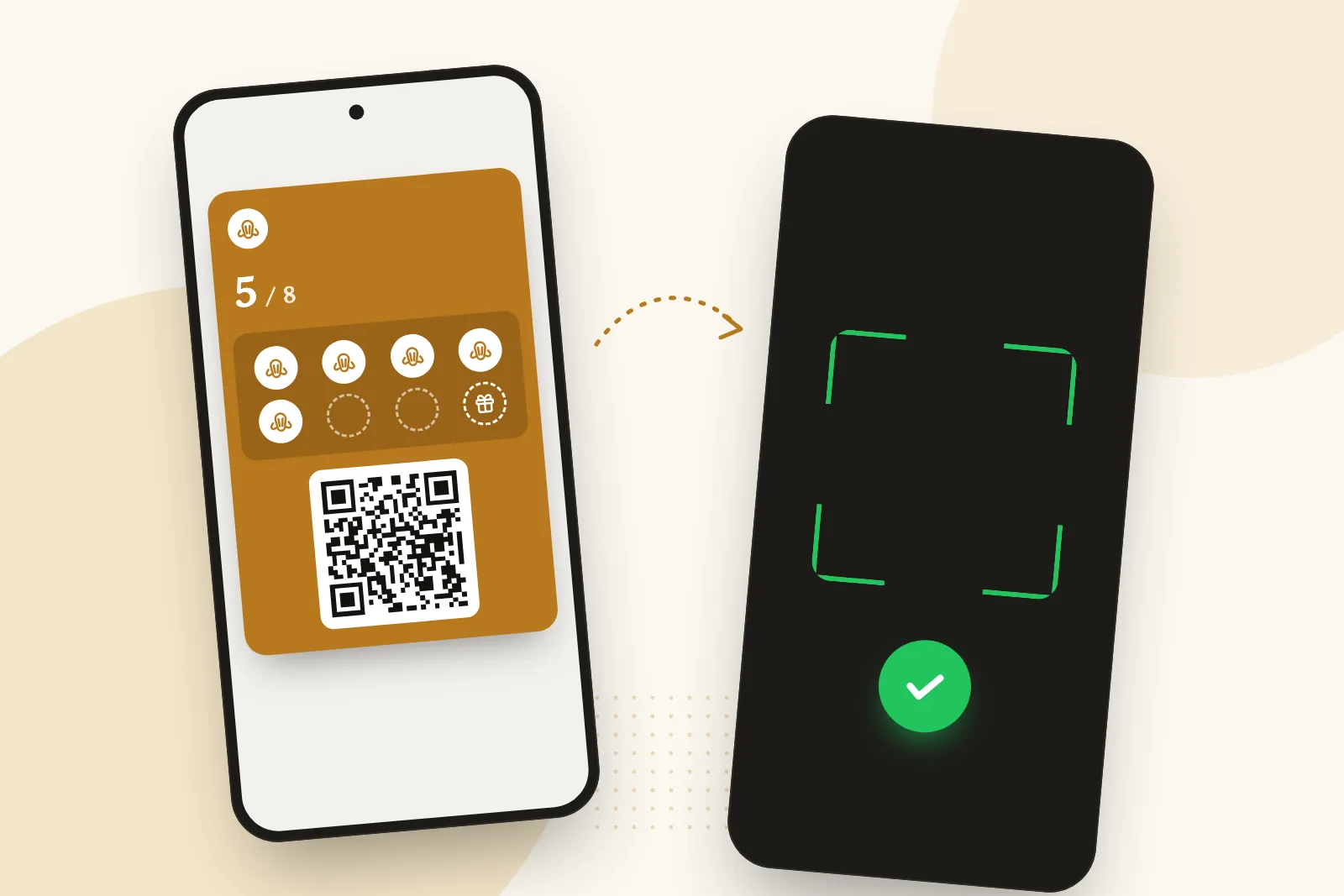
When they come in, they show the card. You scan it with the same scanner you use for loyalty cards: the app recognizes a gift card and shows you what to do. "Give: matcha latte" for an item, the balance and the amount to deduct for a stored-value card. If the QR code won’t read, the eight-character code can be typed in by hand; it skips characters people mix up (0 and O, 1 and I) so it can be read out loud.
That’s where gift cards meet loyalty: on the same screen, a QR code invites the recipient to pick up your loyalty card too. They came in for a gift, they leave with your card in their phone.
Validity, security and the ledger
Validity. You pick one duration for all your gift cards: 3, 6 or 12 months from the sale (6 by default). The end date is written on the card, on the recipient’s page and on the printed version. An expired card is refused at the scanner with a clear message.
Fraud. A gift card can only be read by the business that sold it: knowing another shop’s code gets you nothing. Codes are drawn at random from billions of combinations. An item card works once; an amount card never goes below zero.
The ledger. Every card keeps its history: the sale, then each visit with its date and amount. The list of cards sold shows each card’s status: unused, partly used, used, expired. At any time you know what you’ve sold and what you still owe.
Paper vouchers, a POS module, or a Wallet gift card?
Paper voucher
Your POS’s gift card module
Wallet gift card
Hardware
A voucher book
The matching POS
Your phone
Lost or copied
Yes
Often a plastic card
No: it’s in the phone
Balance tracking
Pen on the back
Yes
Yes, and the customer sees it
Sending it remotely
By mail
Rarely
WhatsApp, link or print
Grows your loyalty program
No
Rarely
Yes, at redemption
Five tips to sell more gift cards
Offer only a few. Three items and three amounts are plenty. Fifteen options means no decision.
Pick items that look good in a photo. A cake, a bouquet, a brunch: the photo is on the card, and that’s what people show when they give it.
Put a sign by the till. "Give a brunch, it arrives in their phone" sells more cards than any post.
Plan for the dates. Mother’s Day, Valentine’s Day, the holidays: remind your regulars a week ahead, for example with a message to everyone holding your loyalty card (see how to bring customers back in quiet periods).
Welcome the recipient. They’re a new customer. Offer them your loyalty card when they redeem; the scanner reminds you.
What it costs
Gift cards are included in the Growth plan, at $49 a month before tax (£35 in the UK, €40 in Europe), together with the loyalty card, automatic messages, birthdays and Google review requests. There’s no commission on sales: the money goes through your till, not through us. The 30-day free trial includes every Growth feature, gift cards too. Details on the pricing page.
A card that lives in Apple Wallet or Google Wallet (or on paper), with a QR code you scan at the counter. It carries either a free item or a balance, and it updates itself when you deduct from it.
Do I need a compatible POS?
No. You ring up the gift card on your usual till like any other sale, and create the card on your phone. When the recipient comes in, you scan it with the same phone.
Can customers buy a gift card online?
Not yet: today, the sale happens at the counter. But the card can be sent remotely, by WhatsApp or link, to someone who isn’t in the shop.
Can a stored-value card be used over several visits?
Yes. Each visit deducts what was spent, and the card in the phone shows the new balance. It’s marked as used when the balance reaches zero.
What if the order is bigger than the balance?
The deduction is refused beyond the balance. Deduct what’s left on the card and take the difference at your till.
The StampyWallet teamDigital loyalty cards for independent shops
Loyalty card design ideas: stamps, tiers and points, by type of business
A gallery of digital loyalty card designs for coffee shops, bakeries, nail salons, barbershops and tea rooms. The three ways to count, the shapes, the collections, and the rules for a card people keep.
Coffee shop loyalty program: 10 ideas that work, with the math
How many stamps, which reward, and what a free coffee really costs you. A practical guide for independent coffee shops, with worked numbers and real research.
Bakery loyalty program: rewards, stamp counts and the real cost
Which reward to give, how many stamps to ask for and what it really costs: a bakery loyalty card that survives the morning rush, on paper or in the phone.
Analytics and advertising
With your consent, Google Analytics and Google Ads measure which pages and ads lead to a signup, and Google may then show you StampyWallet ads on other sites (retargeting). Without it, only our own audience measurement runs: anonymous, it never leaves StampyWallet and can be switched off from our privacy policy. The site works the same if you decline.With your consent, Google Analytics and OpenAI’s pixel (ChatGPT ads) measure which pages and ads lead to a signup. Without it, only our own audience measurement runs: anonymous, it never leaves StampyWallet and can be switched off from our privacy policy. The site works the same if you decline.With your consent, Google Analytics and Meta (Facebook and Instagram ads) measure which pages and ads lead to a signup. Without it, only our own audience measurement runs: anonymous, it never leaves StampyWallet and can be switched off from our privacy policy. The site works the same if you decline.Our privacy policy
 Guide
Guide