Your shop's page
One link for your shop, with the card first.
Updated
When a customer scans your QR code or taps the link in your Instagram bio, they find your loyalty card to add and, right below it, what they came for: booking, your hours, directions, a way to call you. The page is prepared from your profile, and you turn it on with one tap.
30 days free, no credit card. Included in every plan.
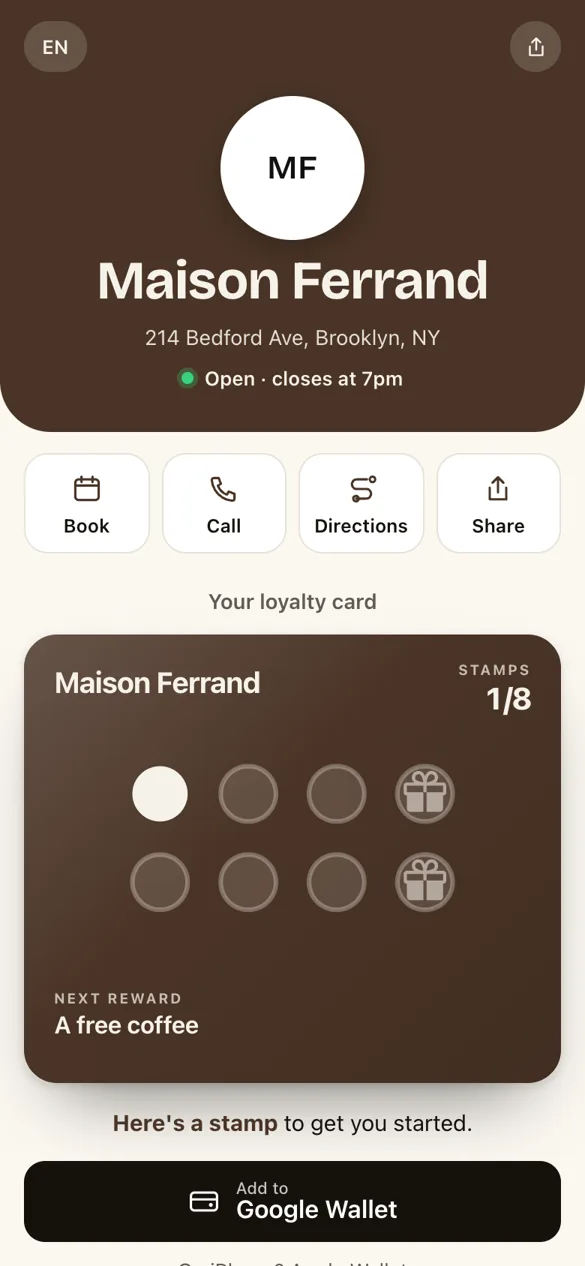
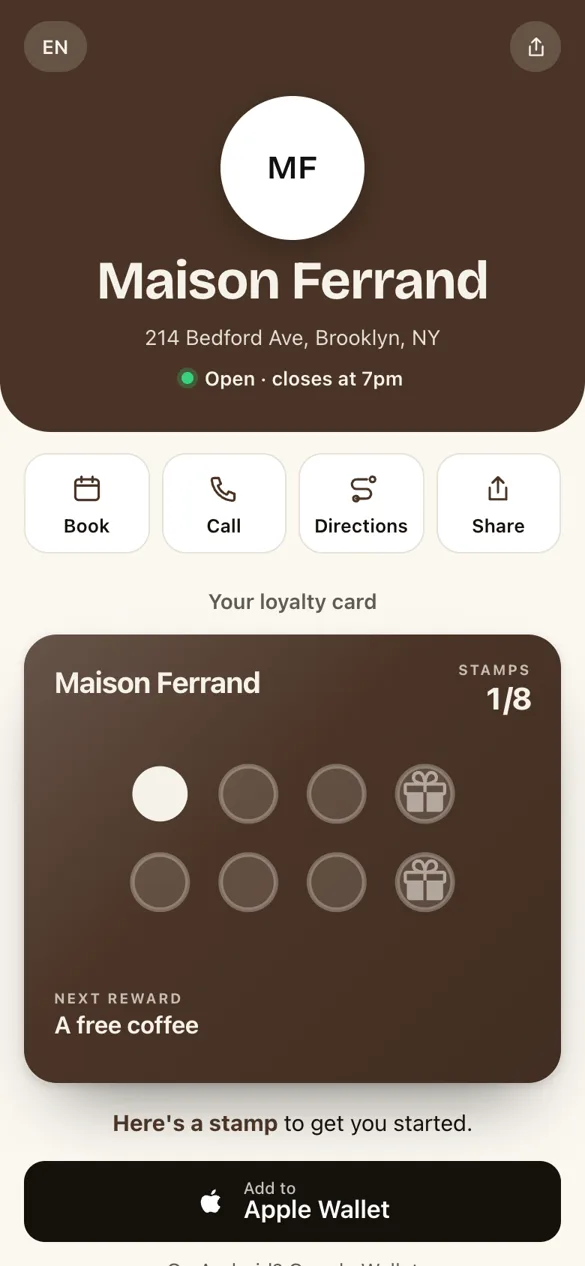
The QR code you already haveThe page shows on your counter QR code and on your link. Nothing to reprint, nothing to change on your posters.
Ready, but switched offIt is prefilled from your profile. Your customers see nothing until you turn it on.
Every planEssential, Growth and Network, at no extra cost. Like the card, it takes your colors.
In short
What is a link in bio page for a local business?
It is a single address that gathers what customers look for about you: your hours, your address, booking, your website. You put it in your Instagram bio, your messages, on your QR code. With StampyWallet, it has one difference: your loyalty card is always at the top, and customers add it to their phone with one tap.
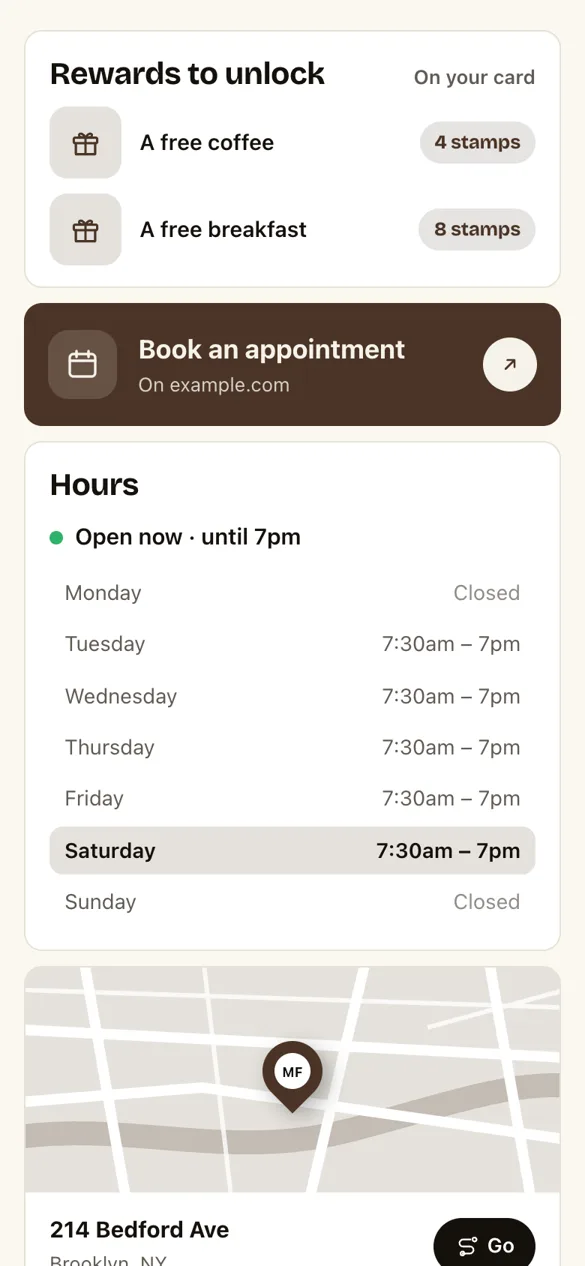
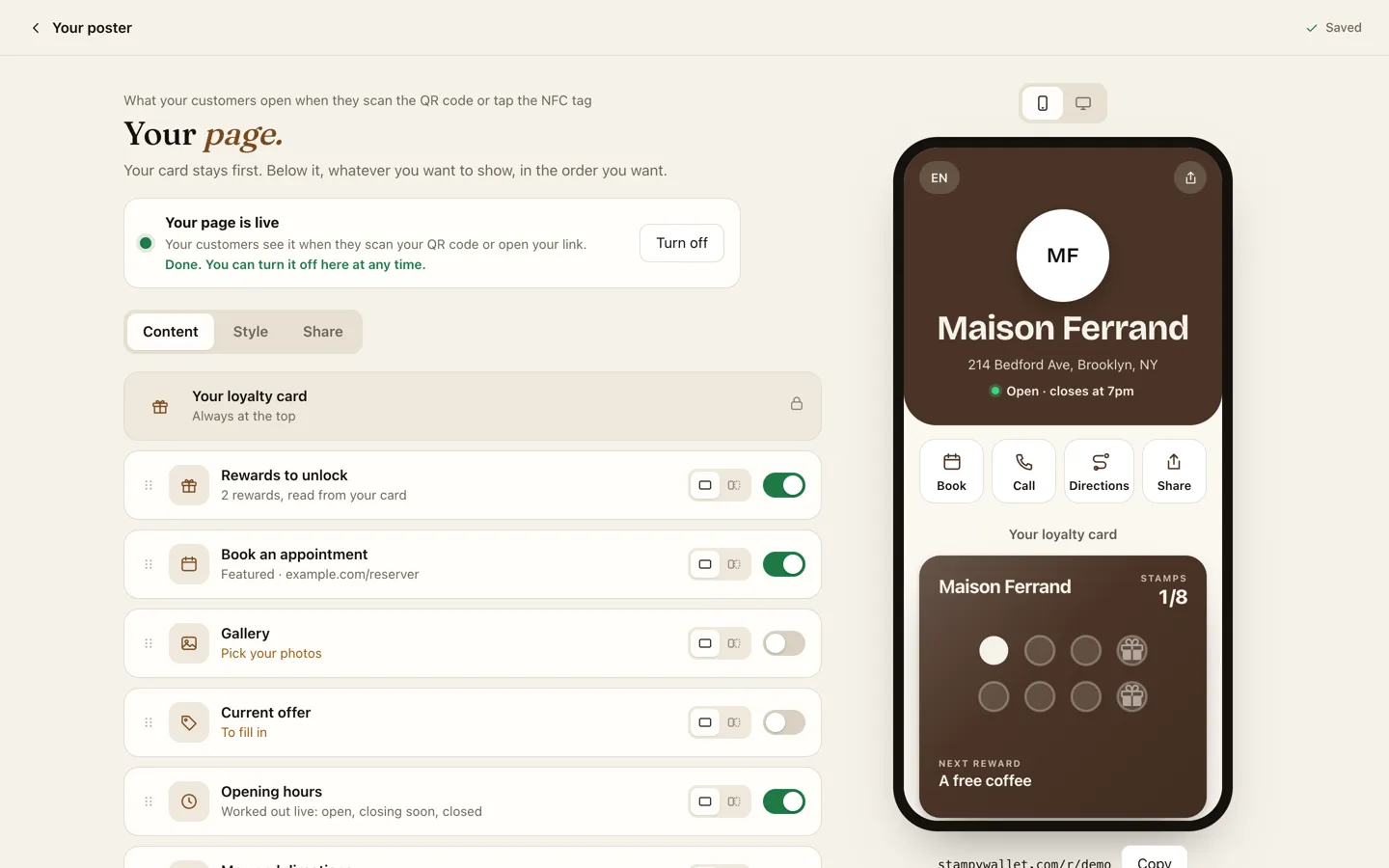
- RewardsYour card's reward levels, read from your card, with their pictures.
- Book or orderYour Planity, Booksy, Treatwell, Fresha, Calendly or WhatsApp link becomes a button, recognized automatically.
- Live opening hours"Open, closes at 7pm" or "Closed, opens Tuesday": worked out in your shop's time zone, days off included.
- Directions and callsApple Maps on iPhone, Google Maps elsewhere. One tap to call you.
- Photos, offer, pricesA gallery, a current offer that disappears on its own on its end date, your services and prices, your team, your story.
- Your website and social mediaA custom link (menu, website, online ordering), Instagram, TikTok, Facebook, and a Share button.
Going live
Ready when you are.
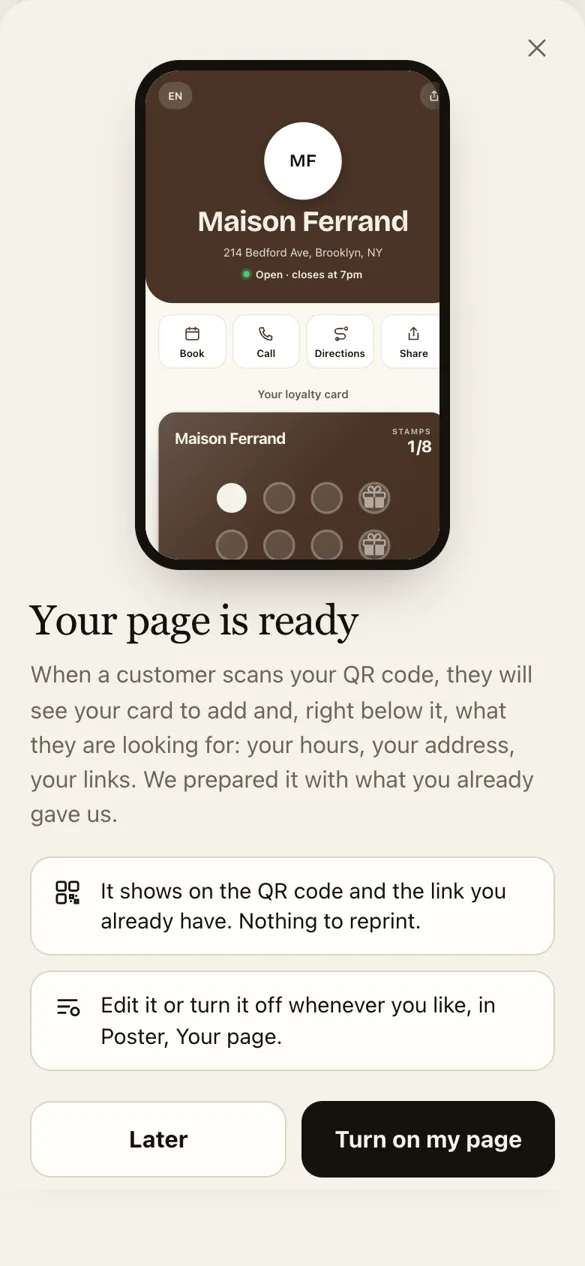
We prepare your page with what you already gave us: your name, your address, your hours, your phone number, your booking link. One day, when you open your dashboard, you see it exactly as your customers will.
- You look at itThe preview shows your real page, with your hours and your card. You can edit it first.
- You turn it on"Turn on my page", and that's it. Or later: Poster, Your page, "Make it live".
- You switch it off whenever you likeOne Turn off button, and your customers see the usual sign-up page again. Your blocks stay ready.
The editor
Your page, your way.
One switch per block, drag to reorder, and the preview alongside on a computer. Nothing shows to your customers until you flip the switch.
Three looksShowcase, with your photo large, Light on a paper background, or Clean, with no photo. Three title styles. The colors come from your card.
A link for your bioA short address to copy into your Instagram bio, your messages, your website. It is the same page as the QR code.
What gets tappedVisits to your page and clicks on each block, over the last 7 days.
Questions
What people ask us about the page.
Do I need to reprint my QR code?
No. The page shows on your counter QR code and on the link you already have. If you turn it off, the same QR code opens the usual sign-up page again.
How much does it cost?
Nothing extra. The page is included in every plan, Essential, Growth and Network, and during the 30-day trial.
Is it a Linktree alternative for a local business?
Yes, if your goal is to bring customers back. Like a link in bio tool, the page gathers your links under one address, but your loyalty card is always at the top, your hours are worked out live, and the same page opens from the QR code on your counter.
What happens if I don't turn anything on?
Nothing changes for your customers: they see the page to add your card, as before. Your page stays prepared in Poster, Your page, until the day you make it live.
Do my customers need to install an app?
No. The page opens in the phone's browser, and the card goes into Apple Wallet or Google Wallet. No account, no app.
The next customer who scans finds everything.
Create your card, and your page is already ready next to it. Turn it on whenever you like.