Card types
A StampyWallet card works in one of three modes, stamps, multiple rewards (tiers) or points, and each mode comes in several shapes.
Which mode should you choose?
| Mode | The customer earns | Best for |
|---|---|---|
tampons | One stamp per visit, one reward at the end | Cafés, bakeries, barbers |
paliers | Several better and better rewards, on the same counter | Beauty salons, nails, florists, restaurants |
points | Points at every visit, based on the amount or the service | Grocery stores, wine shops, varying baskets |
Note : you can change mode later, in Your card › Change type. No customer loses their progress: their stamps stay on their card (in points mode, they count as points). Your design and colors stay too.
Stamps
The classic paper card: one stamp per visit, one reward at the end, then the card starts over. The number of slots goes from 2 to 50.
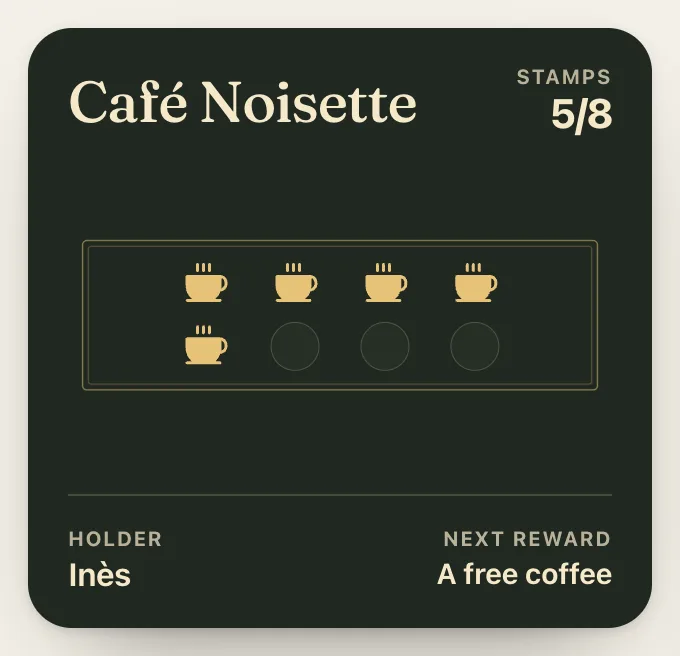
Four shapes: slots (the grid), no slots (scattered stamps), objects (large shaded objects, ideal with a photo of your product) and circles.
Multiple rewards (tiers)
Up to eight rewards on the same counter, for example a coffee at 5 visits, a croissant at 10, a breakfast at 20. Each tier has its threshold, its label and its photo or icon.
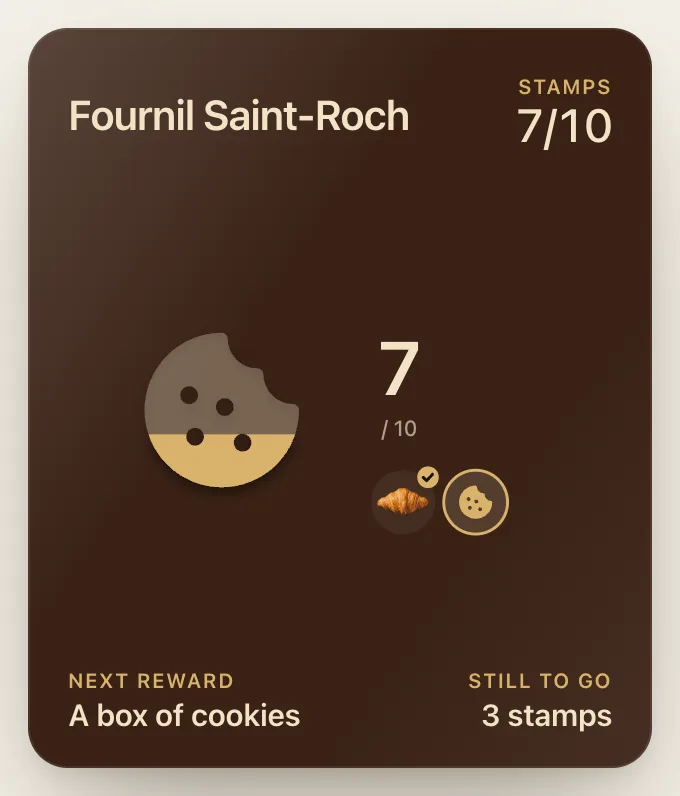
Five shapes on top of stamps: path (a road where each visit moves the customer forward), showcase (rewards side by side), medals, fill (the next reward shown large, filling with color) and ring.
Design the card for Boulangerie Lemaire with tiers:
- 5 visits: a croissant
- 10 visits: a baguette
- 20 visits: a king cake
{
"nom": "Boulangerie Lemaire",
"mode": "paliers",
"paliers": [
{ "a": 5, "recompense": "A croissant" },
{ "a": 10, "recompense": "A baguette" },
{ "a": 20, "recompense": "A king cake" }
]
}Points
Points at every visit, when the basket varies a lot from one customer to the next. Rewards are earned at point thresholds, with the same five shapes as tiers.
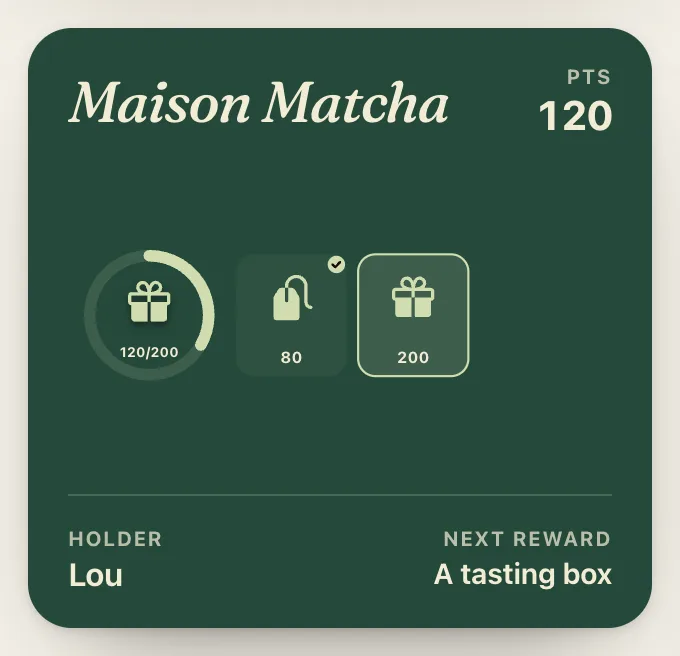
In Your card › More settings › Points:
- Points per visit: the default value offered by the scanner.
- Quick-add values: up to six shortcuts, added with one tap at the counter.
- Name of your points: "points", "seeds", "stars"…
- From the receipt total: a number of points per euro; you type the receipt total at the counter and the calculation is done for you.
Warning : in points mode, the value is chosen at the counter at each scan, or arrives automatically from your POS through the API.
Styles
Six collections dress the card: Essential, Classic café, Botanical, Trattoria, Atelier and Pass (like an Apple Wallet pass: large logo, solid background). Each offers several palettes, and the color can also be custom.
Rules
In Your card › More settings › Rules:
- Stamps given at sign-up: from 0 to 5. A card already started makes people want to finish it.
- Reward validity: never expires, or 1, 2, 3, 6 or 12 months after it was earned.
- One stamp every…: an amount (for example one stamp per €10 spent). You type the receipt total at the counter.
- Two counters: a premium range with its own goal and reward; you choose "regular" or "premium" in the scanner.
Frequently asked questions
What is the difference between stamps, tiers and points?
With stamps, each visit gives one stamp and a full card gives a reward, then it starts over. With tiers, up to eight better and better rewards are spread along the same counter. With points, the customer earns points based on the amount or the service, and rewards are unlocked at points thresholds.
Can I change card type later?
Yes, in Your card › Change type. No customer loses their progress: their stamps stay on their card, and count as points in points mode. Your design and colors stay too.
How many boxes can a stamp card have?
From 2 to 50 boxes.
Can I give a stamp based on the receipt total?
Yes. The One stamp every… rule gives, for example, one stamp per €10 spent: you type the receipt total at the counter. In points mode, From the receipt total gives a number of points per euro.
Are all three types included in the Essential plan?
Yes. Stamps, points and tiered rewards are included in every plan, starting with Essential.
Updated